Where your guests
come ashore.
ProxYard is a Proxmox VE client on your computer. A server or a whole cluster in one window: every guest, node and storage with live charts, consoles for VMs and containers, backups, GPUs and the cluster settings, and the whole datacenter as a living city. Nothing is installed on the server.
Live demo, running right nowThe whole web UI, as an app
Everything the Proxmox VE web UI does, in one window that shows what happens. ProxYard talks to the PVE API with your API token or your login, and your rights.
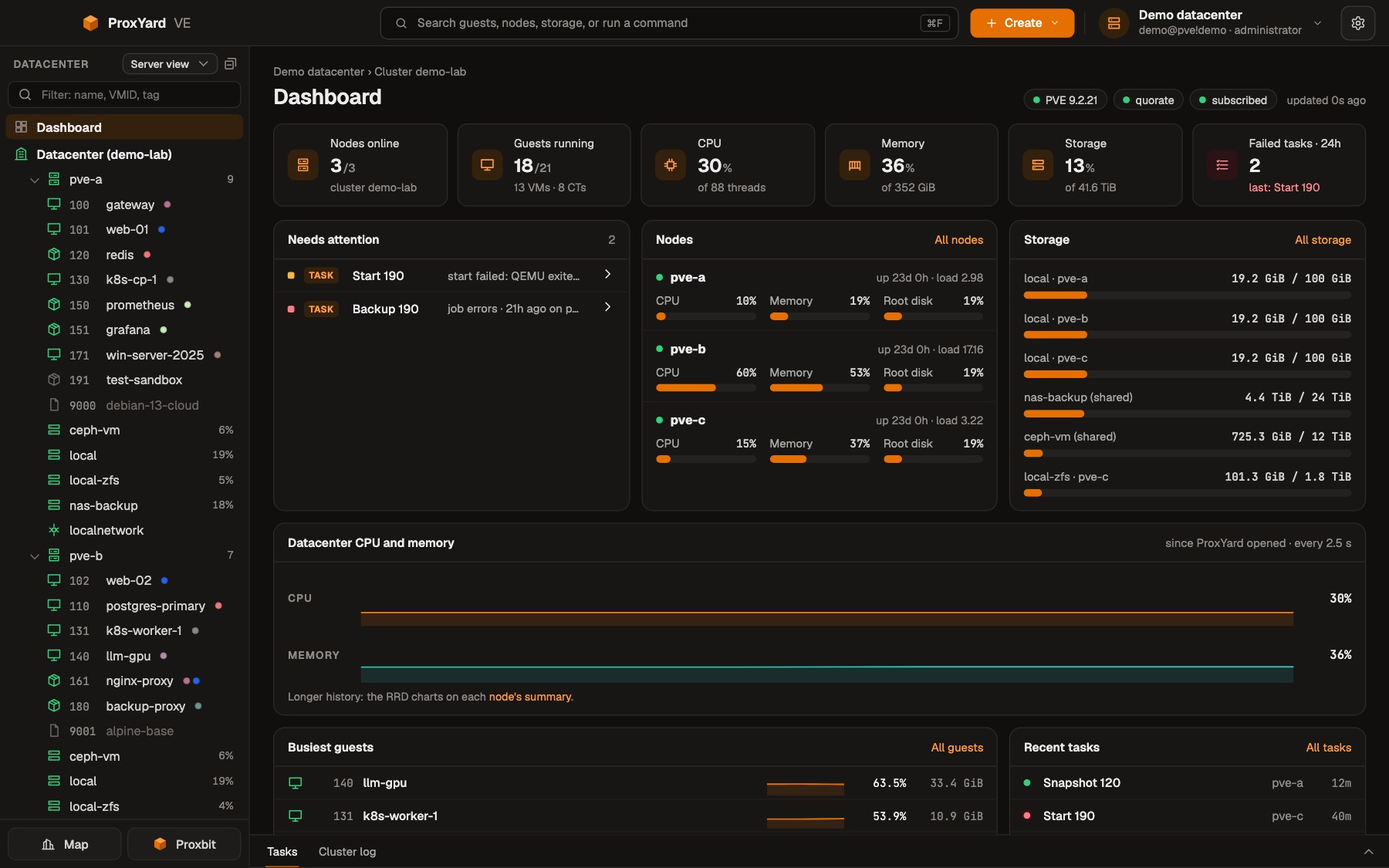
The dashboard
The first thing you see: nodes, guests, CPU, memory and storage of the whole datacenter, what needs attention, the busiest guests and the last tasks. It fits one screen and updates every few seconds.
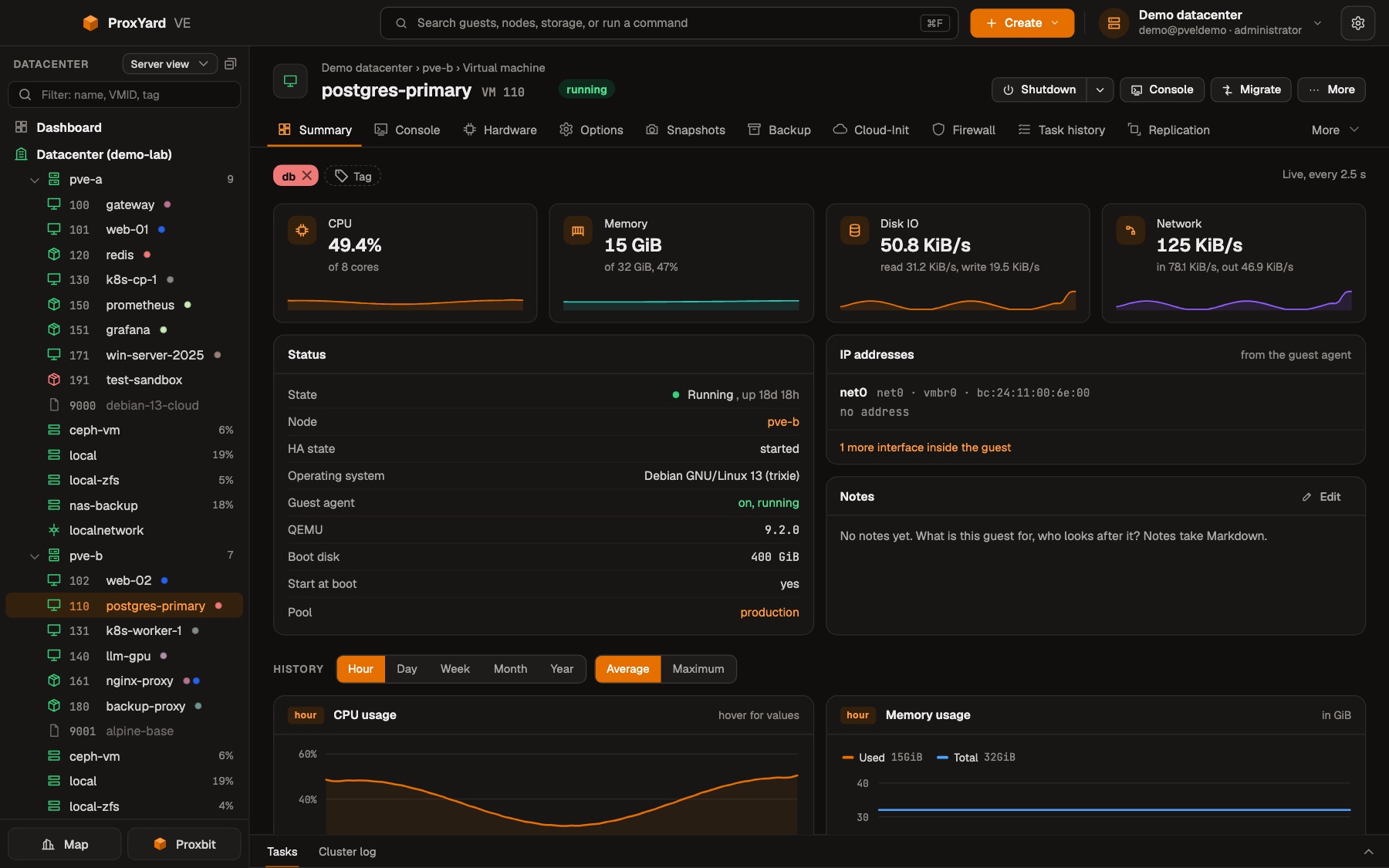
Every guest on one page
The tree on the left holds the datacenter, by node, tag, pool or folder, with the tags in their PVE colors. A guest opens with its live usage, status, IP addresses, notes and its history from PVE, an hour to a year. Console, hardware, options, snapshots, backups, cloud-init and firewall are tabs of the same page.
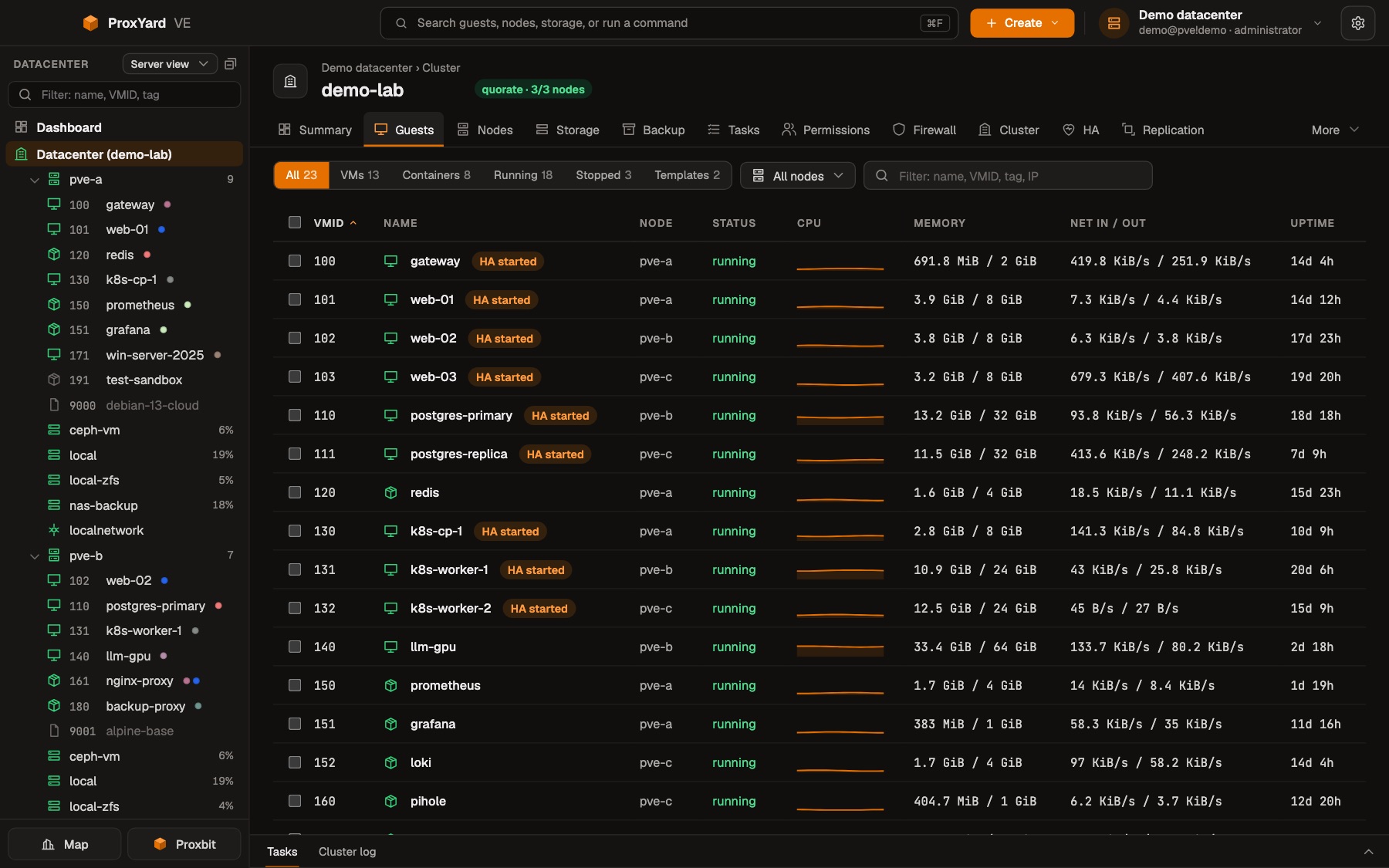
All guests at a glance
Every VM and container of the cluster in one dense table: node, state, CPU of the last minutes, memory, network and HA. Filter by kind, state, node or text, select several and start, shut down or reboot them in one step.
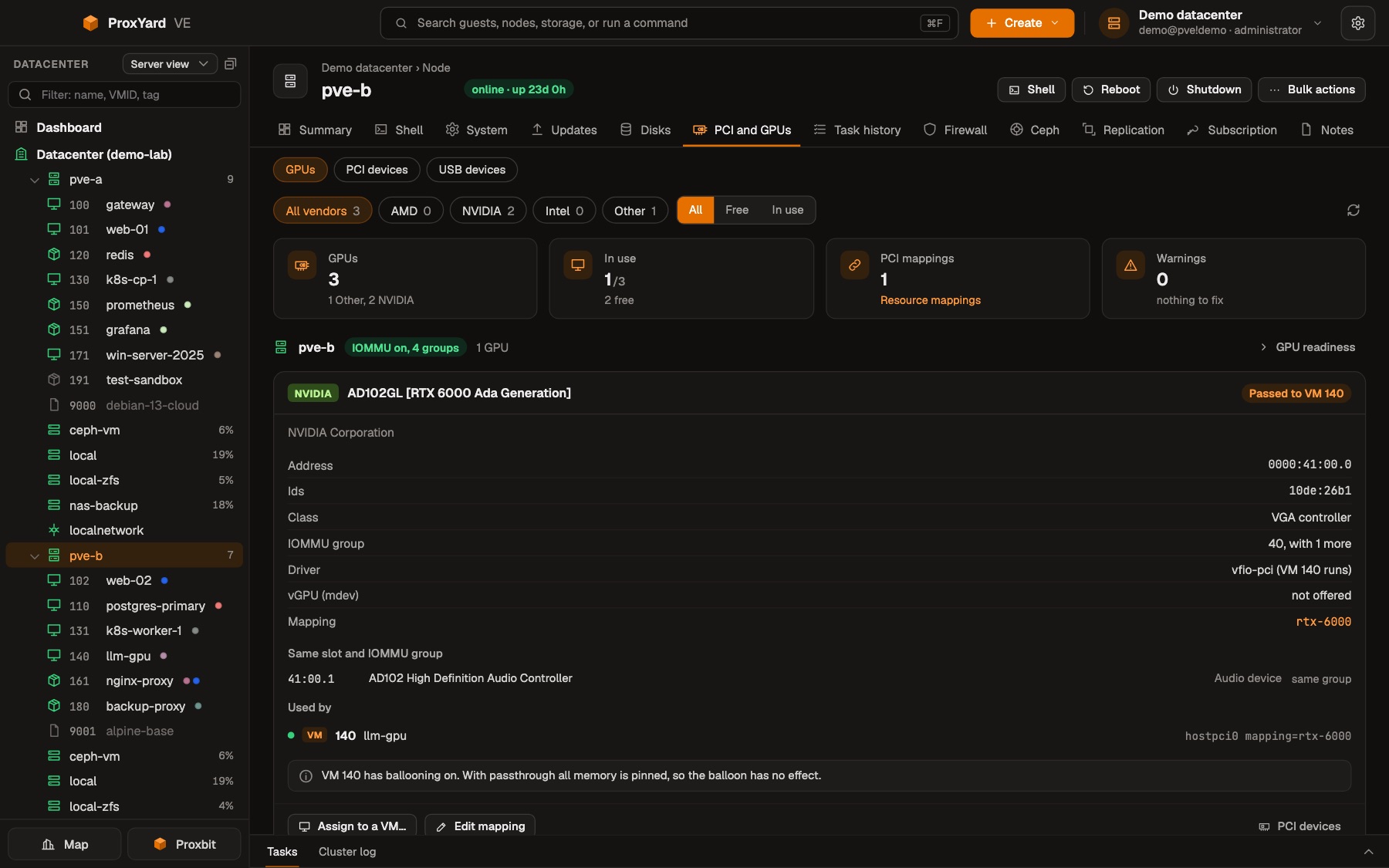
GPUs and passthrough
Every GPU of every node with its IOMMU group, its driver and who uses it: passed through to a VM with vfio-pci, or free for the host. Resource mappings, warnings that would stop a VM from starting, and assigning a GPU to a VM, all on the node's page.
Storage with what is on it
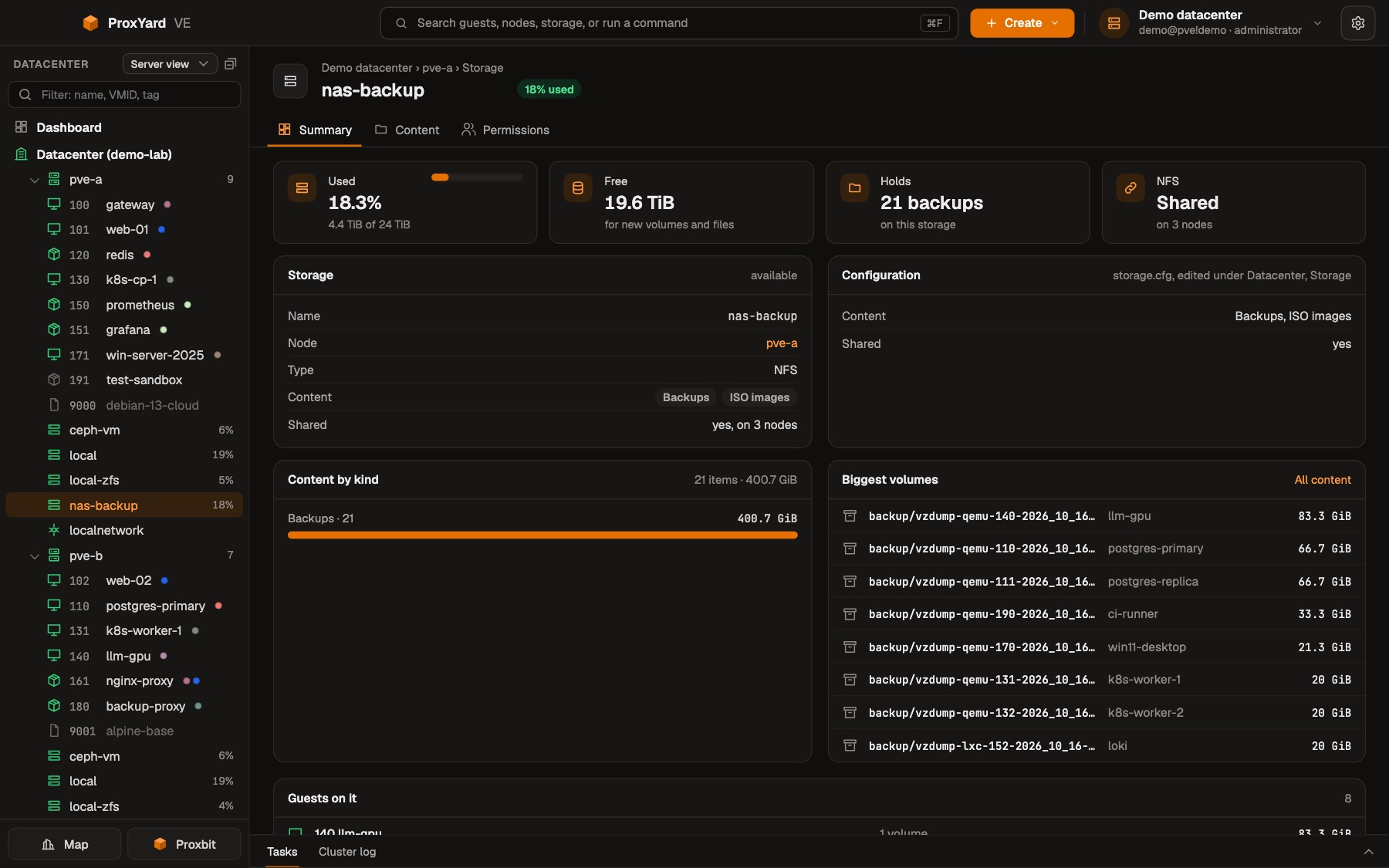
Every storage with its usage, its configuration and what it holds: content by kind, the biggest volumes and the guests that live on it, with the history of its usage below.
The datacenter map
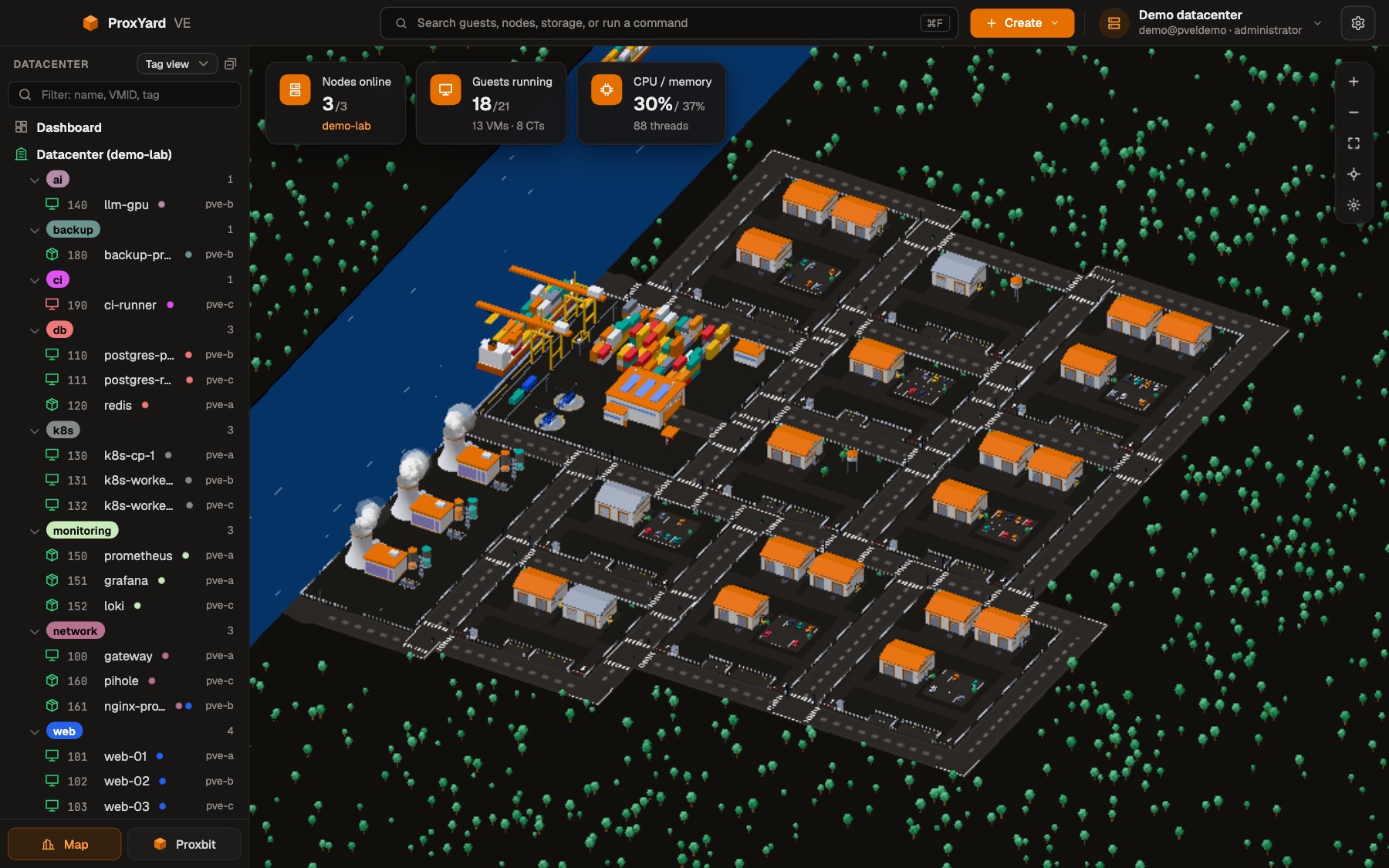
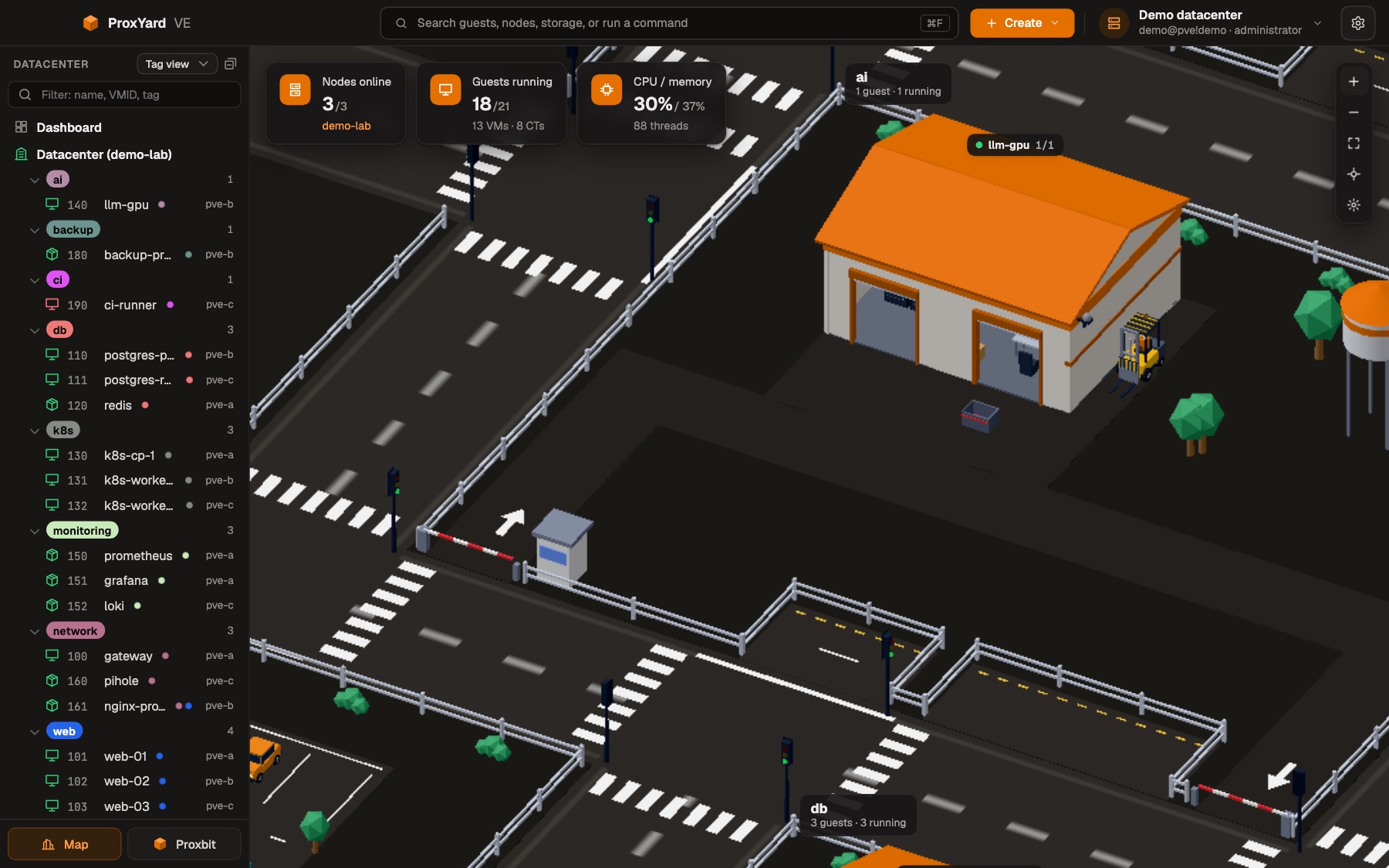
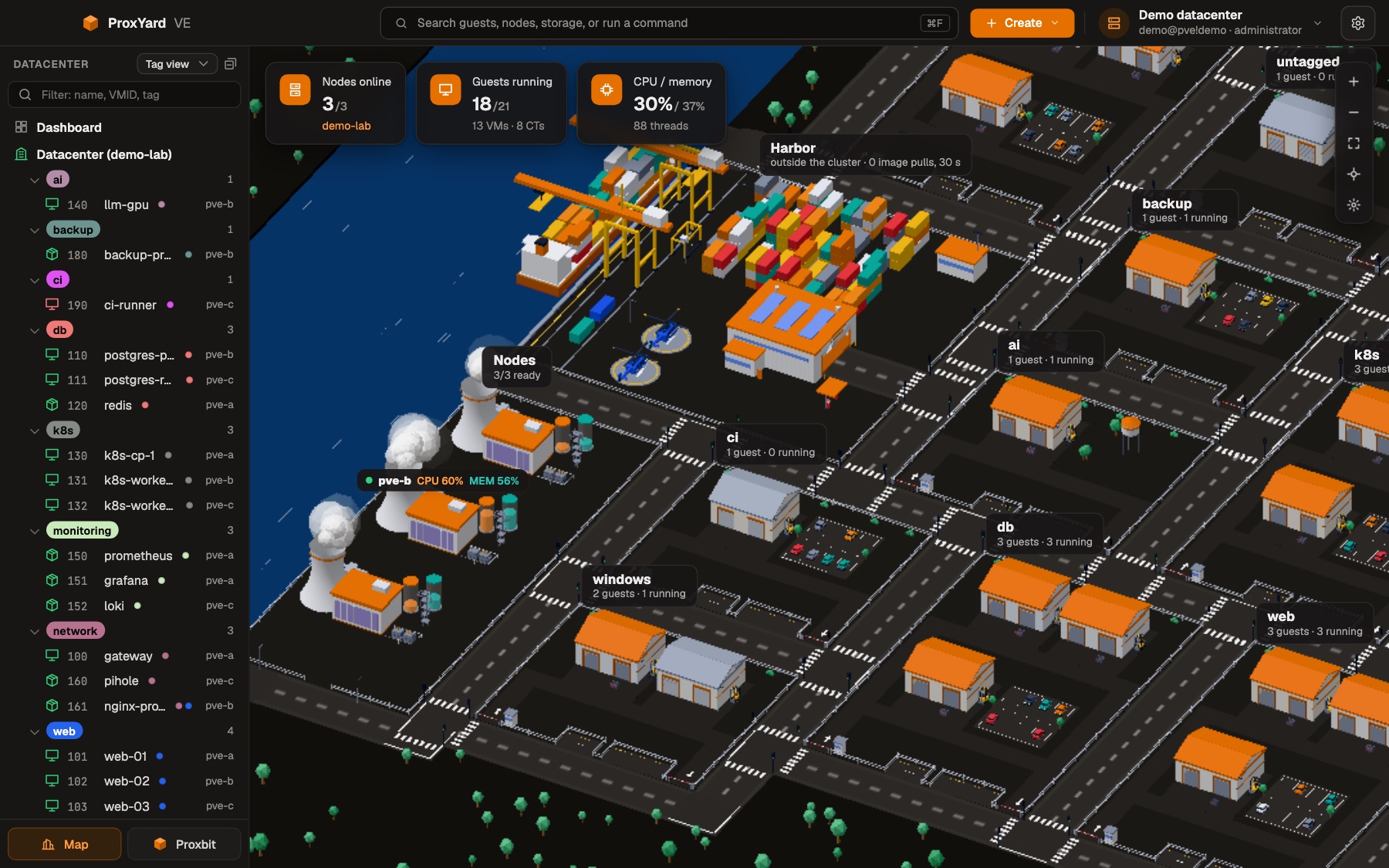
The whole datacenter as a city that moves with it: select a guest and see its node, usage and state, then open its page or start, stop and migrate it from there.
Proxbit, the assistant
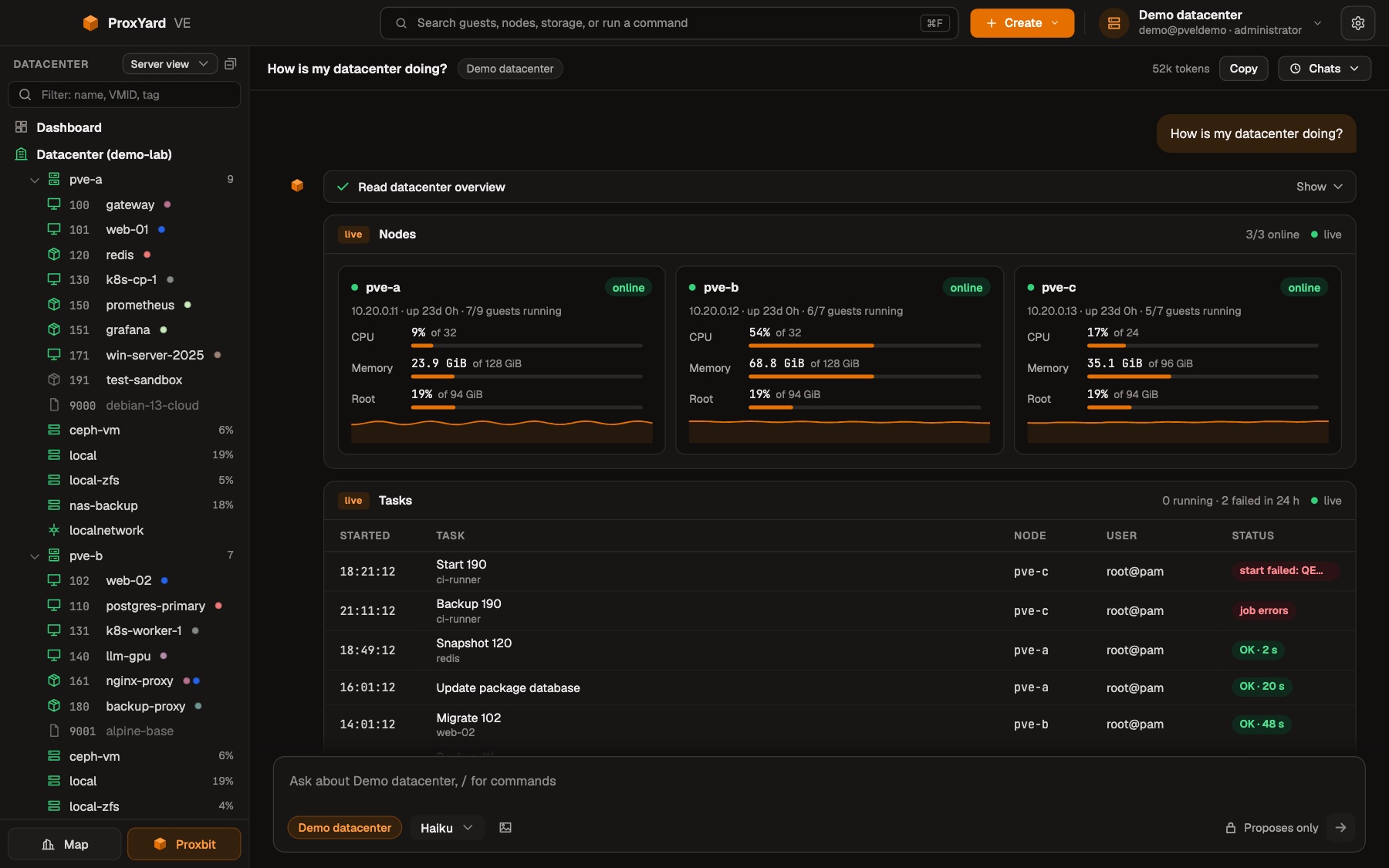
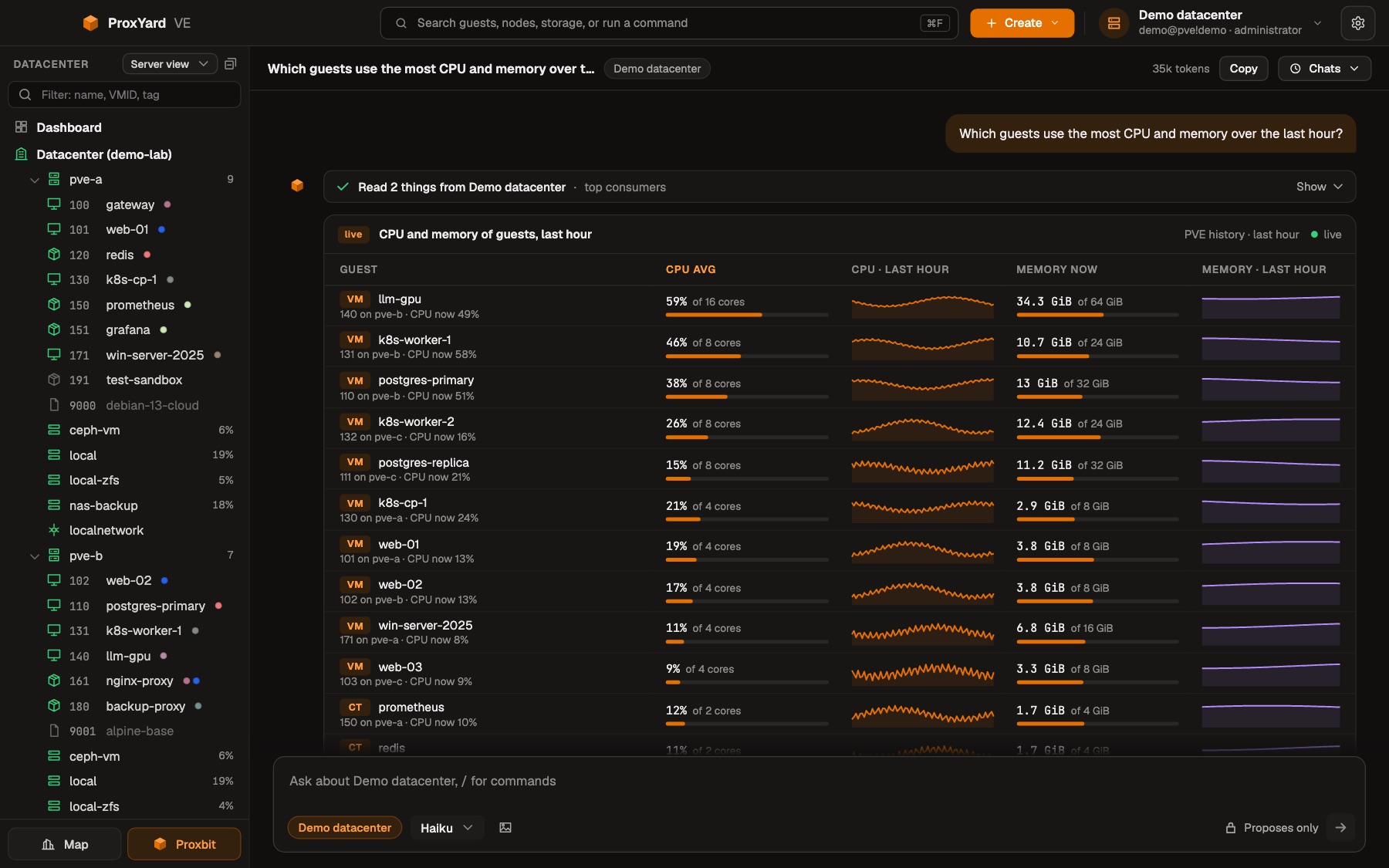
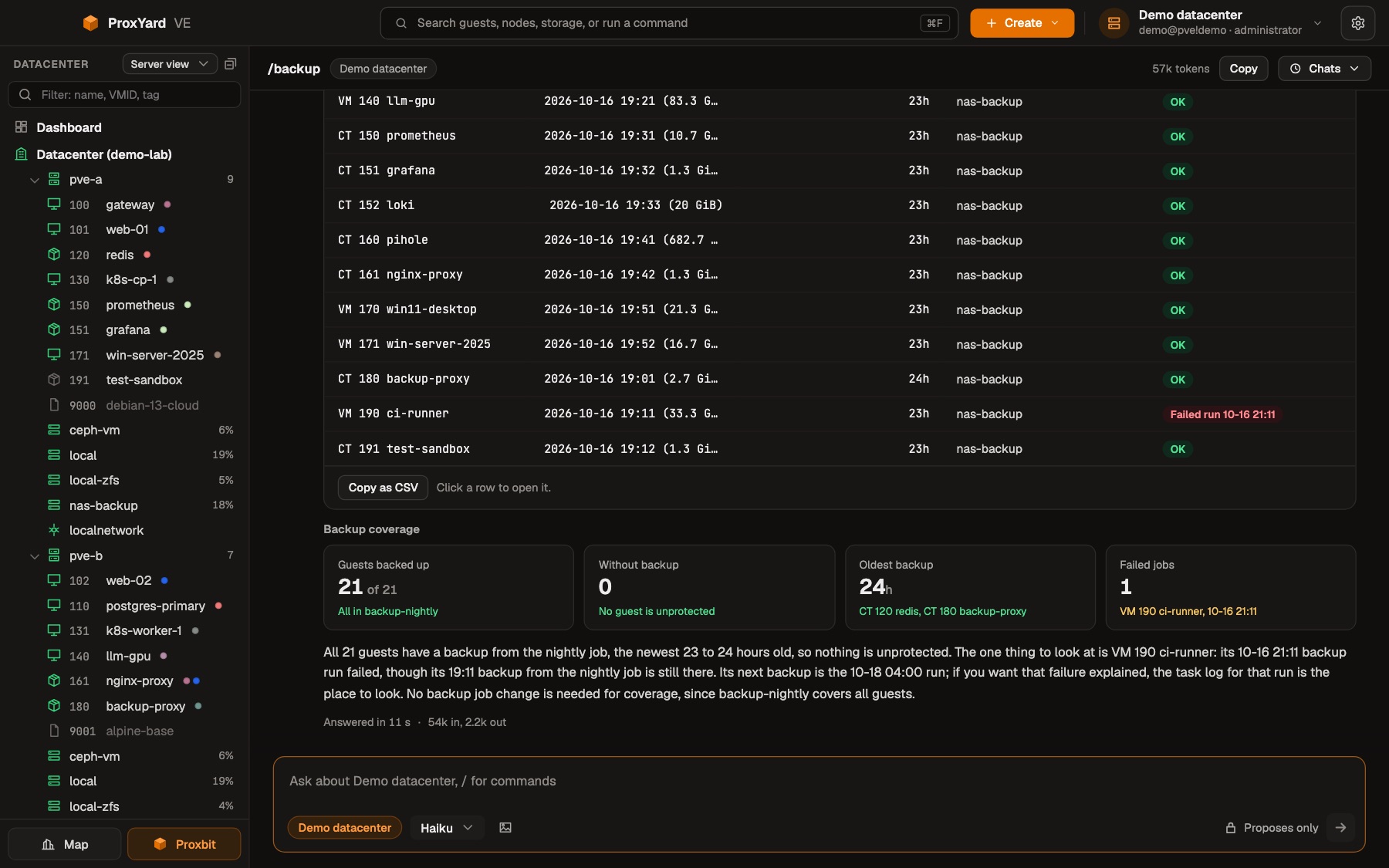
Ask about the datacenter and Proxbit answers with what you need to see: KPI tiles, live cards of nodes and guests, charts from PVE's history, tables, task timelines, the city. It runs on your local Claude Code and can only propose changes.
The datacenter as a city
The map shows everything at once and moves with it. Each part of the city stands for something in your datacenter.
Guests
Every VM and container is a hall, grouped on plots by tag, pool or node. The label says how many guests run on the plot; trucks bring and take the guests' network traffic, and stopped guests keep their doors closed.
Nodes
Nodes are power plants by the river, with tanks for CPU and memory. Click one and a cable runs to every guest that runs on it.
Safe by design
A client with root on your hypervisor has to be careful. ProxYard never changes anything you have not seen and confirmed.
Download
Free, for macOS, Windows and Linux. ProxYard connects to a Proxmox VE server or cluster with an API token or your login; Proxbit needs Claude Code installed and logged in.
macOS builds are not notarized yet: open the app with a right click, then Open. Windows builds are not signed, so SmartScreen may warn: More info, Run anyway. Each file has a SHA-256 checksum, see how to verify it.